IT support for a clinic in Dubai centres on keeping patient-facing systems available and access tightly controlled. That means quick, individual logins at reception and in consulting rooms, a clinical network kept apart from guest Wi-Fi and medical devices, backed-up practice software, a second internet line for cloud systems, and maintenance scheduled outside clinic hours.
Proof, not promises
Real reviews from Trustpilot and Google, word for word. Google rating 5.0 from 5 reviews, checked 2026-10-17.
Best team I’ve ever hired. All in one place.
As a construction company, we have a lot to manage, so finding one team that can handle our IT and digital requirements has been really helpful. Listonics has supported us with office networking, cybersecurity, website development and SEO. Their team knows what they’re doing and has been easy to work with. We no longer need to coordinate with different companies for every requirement, which saves us time and effort. Overall, it’s been a good experience, and we’re happy to have them supporting our business.
We needed a custom ERP and HR system…
We needed a custom ERP and HR system for our business, along with a new website, and Listonics helped us with all three. The team was approachable, listened to what we wanted and made the process easier than we expected. We could discuss changes directly with them, which made a big difference. It was also convenient having one team handle everything instead of dealing with multiple companies. Overall, we’re happy with how things turned out and glad we chose them.
Listonics projects run from AED 2,500 to AED 30,000 as a fixed scope; support is a fixed monthly fee with response times written into the agreement. The IT support cost guide and managed IT pricing guide set out how the numbers are built.
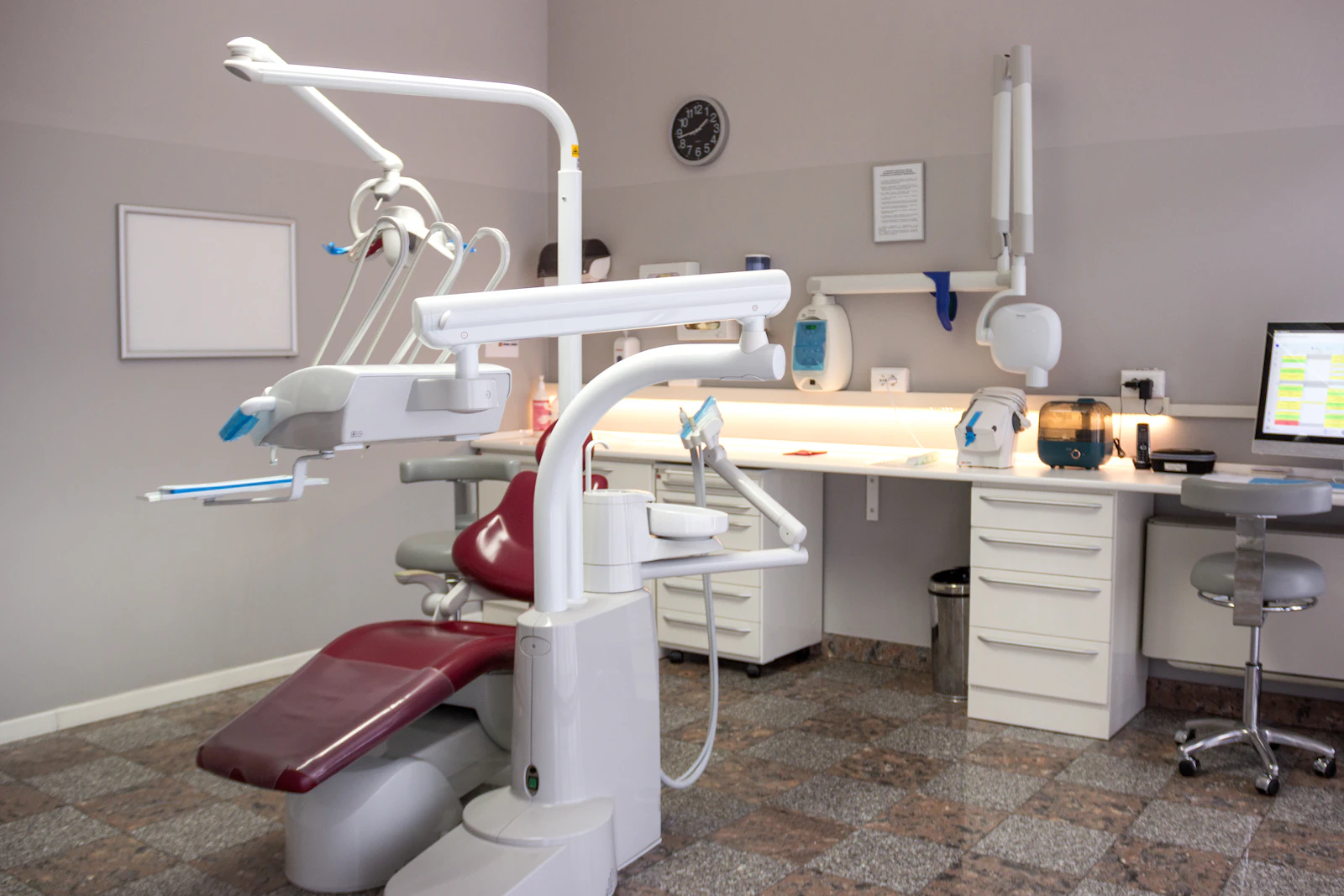
A clinic holds patient records the law will not let you lose
Two things set clinics apart: downtime happens in front of patients, and the data involved is among the most sensitive a small business holds. When the appointment system or medical record software stops at reception, the waiting room fills and clinicians work without history. When access is loose, patient information can be seen by people who have no reason to see it. Dental practices add X-ray and intraoral scan storage and chair-side software to that picture, which we cover in IT support for dental clinics in Dubai.
Patient data privacy is a legal obligation area for every clinic, and the specific requirements depend on the clinic's licensing and location. Listonics does not advise on those obligations and cannot make a clinic compliant. Clinics should confirm what applies to them with their legal or compliance adviser and the relevant health authority. What good IT support can do is put sensible technical foundations in place, document them, and keep them maintained, so the clinic has accurate information when its adviser asks how systems are set up.
How should reception and clinical workstations be set up?
Reception and consulting-room computers should let each person sign in as themselves quickly, without anyone sharing a password. Shared logins are common in clinics because staff move between rooms all day, but they make it impossible to tell who opened a record and very hard to remove access when someone leaves. Fast individual sign-in with multi-factor authentication is documented in how MFA works.
The practical answer is to make individual sign-in fast rather than tolerate shared accounts. Windows supports fast user switching, and screens can lock automatically after a short idle period so the next person signs in with their own account. Multi-factor authentication can use methods that suit a busy clinic, such as an authenticator app or a security key. Workstations should be managed centrally, with updates and endpoint protection applied consistently.
- One named account per staff member, including locums and part-time clinicians.
- Automatic screen lock on every workstation that can display patient information.
- Screens positioned or filtered so passers-by at reception cannot read them.
- Standard builds so a failed workstation can be replaced quickly with the same set-up.
How do you keep practice-management and medical-record software available?
Availability starts with knowing where the software runs. Some clinics use practice-management or medical-record software installed on a server in the clinic; others use a cloud system reached through a browser or app. Each needs a different plan.
An on-site system needs a reliable server or NAS, UPS power protection, monitoring and a backup that is tested by actually restoring it, with a copy kept off site. A cloud system moves those tasks to the software vendor, but the clinic still depends on its own internet connection, workstations and user accounts, and should confirm with the vendor what backup and export options exist. In both cases, the IT provider should work alongside the software vendor, so a fault is not passed back and forth. NAS storage and backup covers on-site storage and backup.
Why should guest Wi-Fi and medical devices be on separate networks?
Patients, visitors and connected medical equipment should never share a network with the computers that hold patient records. Guest Wi-Fi is used by devices nobody controls. Connected medical devices may run software their manufacturer updates slowly, and some cannot run endpoint protection at all. Keeping unpatchable medical equipment away from clinical workstations is a segmentation problem; the control set is described in the NIST Cybersecurity Framework.
Separating them with VLANs and firewall rules means a problem on one network cannot easily spread to another. Typically a clinic has at least a clinical staff network, a guest network with internet only, and a separate network for medical and building devices such as imaging equipment, CCTV and door access. Any connection a device genuinely needs to the clinical network is allowed explicitly and documented. Our cybersecurity service covers this segmentation along with firewall management and endpoint protection.
What IT does each area of a clinic need?
Different rooms place different demands on IT, and planning by area helps nothing get missed. The table gives a general starting point; the medical equipment supplier should confirm the network needs of any connected device.
| Clinic area | IT requirement |
|---|---|
| Reception | Workstation with quick individual sign-in, receipt and label printers, ID or document scanner, privacy-aware screen position |
| Consulting rooms | Managed workstation with automatic screen lock, reliable wired or Wi-Fi connection, access to clinical software |
| Treatment and imaging rooms | Medical devices on a separate network, documented connections to clinical systems, supplier coordination |
| Waiting area | Guest Wi-Fi isolated from all clinic systems |
| Back office and admin | Accounts, email and finance systems, printers and scanners, backup checks |
| Equipment cupboard or rack | Firewall, switches, UPS, any on-site server or NAS, adequate ventilation, labelled cabling |
How should access, staff changes and maintenance be handled?
Access should follow roles, be reviewed regularly and be traceable. In general terms, that means each person only sees the systems and records their role requires, administrator rights are limited to a few named people, and sign-ins and changes are logged where the software supports it so there is an audit trail if questions arise.
Clinics often have rotating locums, part-time staff and visiting specialists, so onboarding and offboarding need a written checklist. A new starter should have an account, device access and software permissions ready on day one; a leaver's access should end on their last day across email, clinical software and any shared devices.
Updates, reboots and network changes should be scheduled in maintenance windows outside clinic hours, agreed in advance with the practice manager, so patching never interrupts appointments.
- Printers, label printers and scanners included in the asset register and kept on supported drivers.
- A second internet line from a different provider, with automatic failover, for cloud-based clinical systems.
- Quarterly access reviews with the practice manager.
Setting up a clinic that passes its next inspection
Listonics provides the technical side of clinic IT: workstations, networks, internet failover, Microsoft 365, backup and ongoing support, delivered under our IT support in Dubai with a fixed monthly fee per user or per device. We work with your software vendor and medical equipment suppliers rather than replacing them, and we do not provide regulatory or compliance advice.
Engineers visit clinics on site across the UAE, with remote support UAE-wide. We start with a free assessment and hand over documentation you own: network diagram, asset register, account list and port map. For a first conversation, contact our team.
Frequently asked questions
No. Compliance depends on your licensing, location and processes, and must be confirmed with your legal or compliance adviser and the relevant health authority. We put technical controls in place, such as individual accounts, network separation, backup and documentation, and we can explain how your systems are set up when your adviser asks.
Use individual accounts with fast sign-in and automatic screen locking, so each person signs in as themselves in seconds. Windows fast user switching, authenticator apps or security keys keep this quick. The aim is to make the correct method faster than the shared one.
It is strongly advisable. If the clinic's only connection fails, a cloud system is unreachable from every workstation. A second line from a different provider with automatic failover on the firewall keeps reception and consulting rooms working while the main line is repaired.
They should sit on a separate network. Medical devices often run software that is updated slowly or cannot run security tools. Put them on their own VLAN and allow only the specific connections they need to clinical systems, confirmed with the equipment supplier.
Outside clinic hours, in maintenance windows agreed in advance with the practice manager. Workstation updates, server restarts and network changes are scheduled so they do not interrupt appointments, and urgent security fixes are coordinated with the clinic before any restart.
Written by Srinivasan Ramachandran, Founder, Listonics · Last reviewed October 29, 2026