Office Network Documentation: What to Record, Where to Keep It and Who Owns It
What every office should document about its network, from the diagram and port map to admin accounts, licences and a change log.
Part of our guide to Office Network & Wi-Fi.

Office network documentation is the written record of how your IT is built and who can manage it. It should include a network diagram, a port map with matching cable labels, an asset register, an account and admin list, licence and warranty records and a change log. Your company should own it, and it should be updated whenever something changes.
Key takeaways
- Good documentation means your IT does not depend on one person's memory, whether that is an employee or a provider.
- A network diagram should show internet lines, the firewall, switches, VLANs, access points, servers and NAS, IP ranges and how they connect.
- A port map links every labelled wall outlet and patch panel port to a switch port, VLAN and device.
- Store credentials in a business password manager, never in a spreadsheet, and keep the account list separate from the passwords.
- Update documents when something changes, not once a year, and record each change in a change log.
- The company owns the documentation; the IT provider maintains it.
Why does office network documentation matter?
Documentation lets anyone qualified understand and fix your network without relying on the person who installed it. Without it, every fault starts with guesswork. If you want an external structure to organise it against, the NIST Cybersecurity Framework is the usual choice.
In many Dubai offices, the only complete picture of the network lives in one person's head: an office manager who set up the Wi-Fi, a former employee, or a provider's engineer who has since moved on. When that person is unavailable, a simple fault such as a dead desk port or a failed internet line takes far longer to trace. Documentation also matters when you change provider, move floors, pass a customer security questionnaire or plan an upgrade, because each starts with knowing what you already have. Our guide to changing IT support provider shows how much easier a handover is when these records exist.
What should a network diagram include?
A network diagram should show every major device, how they connect and which networks run between them. Someone who has never visited your office should be able to follow the path from the internet line to a desk.
- Internet lines: each provider, such as du or e&, the line type, account reference and where the line enters the office.
- Firewall: model, location and which ports connect to the internet lines and internal network.
- Switches: each switch, where it sits, and the uplinks between switches.
- VLANs: each network by name and purpose, such as staff, voice, printers, CCTV and guests.
- Access points: each one with its location, ideally marked on a floor plan.
- Servers and NAS: what each does and which network it sits on.
- IP ranges in general terms: the subnet used for each VLAN, where DHCP hands out addresses and which ranges are reserved for fixed devices.
- Connections: links between cabinets, floors or buildings, including site-to-site VPNs and cloud services the office depends on.
Physical and logical diagrams
Smaller offices can combine everything on one page. Larger or multi-floor offices benefit from two views: a physical diagram showing cabinets, cable routes and device locations, and a logical diagram showing VLANs, IP ranges and traffic flows. Never put passwords on a diagram, since diagrams get printed and shared.
What is a network port map and how should cables be labelled?
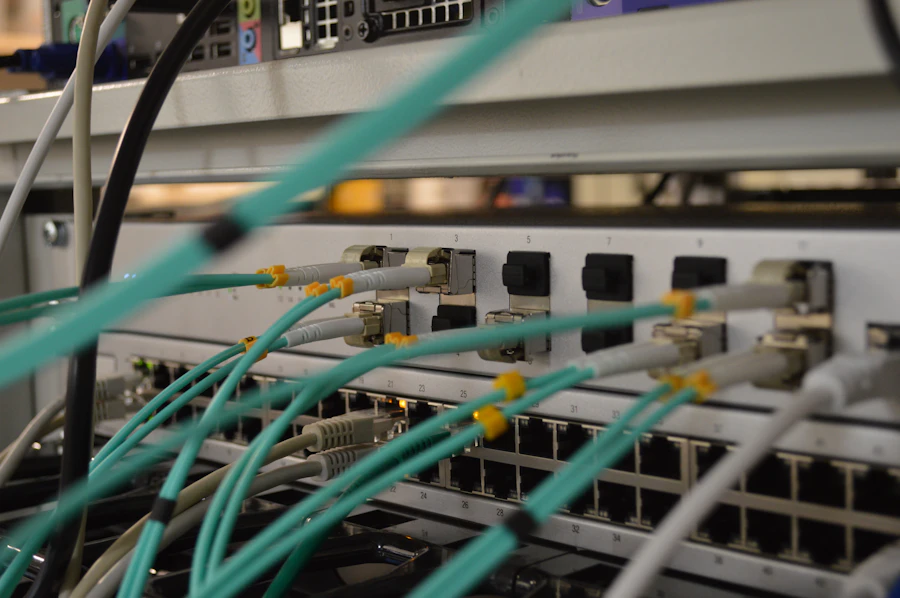
A network port map is a table that connects each wall outlet to its patch panel port, switch port, VLAN and the device plugged in. Cable labels make the map usable on site.
Label every outlet and patch panel port with the same identifier, using a simple scheme such as floor, cabinet, panel and port. The port map then records, for each identifier, the switch and port it is patched to, its VLAN, whether it supplies PoE, and what is connected, such as a desk, printer, access point or camera. When a user reports a dead port, an engineer can find the right cable in minutes instead of tracing it by hand. Keep the cable test results from installation with the port map; our structured cabling service provides both.
What fields should an office asset register have?
An asset register should let you identify every device, who has it, and when its warranty or support ends. Keep it in one maintained list rather than scattered invoices. Where devices are centrally managed, much of the register can be generated rather than typed; see what Intune is.
- Asset tag or reference number.
- Device type, make and model.
- Serial number.
- Assigned user or location.
- Purchase date and supplier.
- Warranty end date and support contract reference.
- Operating system or firmware version.
- IP address and MAC address for network devices.
- Status: in use, spare, in repair or retired.
- Disposal record, including confirmation that data was wiped.
Where should admin accounts and passwords be stored?
Keep a list of admin accounts in your documentation and store the passwords themselves in a business password manager. A spreadsheet or shared document of passwords is easy to copy, hard to audit and often ends up in email.
The account list names every administrative login without revealing the password: Microsoft 365 administrators, the firewall, switches, Wi-Fi controller, NAS, backup console, domain registrar, DNS host, ISP portals and vendor portals. For each, record who has access, whether MFA is enabled and which email address recovers it. A business password manager gives shared vaults with access control, so the right people see the right credentials and access can be removed when someone leaves. Company management should always hold owner access to the vault. Our guide to MFA for small businesses explains why admin accounts need it most.
Which licence and warranty records should you keep?
Keep a record of every subscription and support contract the office depends on, with renewal dates. Expired licences and warranties are usually discovered at the worst moment.
- Microsoft 365 licences: types, quantities, renewal date and who bills them.
- Firewall security subscriptions and vendor support contracts.
- Endpoint protection and backup software licences.
- Hardware warranties for laptops, desktops, servers, NAS units, switches and access points.
- Domain name renewal dates and SSL certificate expiry dates.
- Internet line contracts and account references.
Why keep a change log for the office network?
A change log shows what changed, when and why, which is often the fastest way to explain a new fault. If Wi-Fi stopped working on Tuesday, the first question is what changed on Monday.
Each entry should record the date, who made the change, what was changed, the reason, any related ticket and how to reverse it. Firmware updates, firewall rule changes, new VLANs, replaced switches and added access points all belong in it. Keeping the log in your ticketing system or a shared document is fine, as long as it is kept up to date.
How often should network documentation be updated, and who owns it?
Update documentation as part of every change, and review it on a fixed schedule, such as quarterly, to catch anything missed. The company owns it; the IT provider or internal IT person maintains it.
Store documentation somewhere your company controls, such as a restricted SharePoint site, not only in a provider's system. Keep an offline copy of the diagram, port map and key contacts so they are available if the network or internet is down. When you sign a support agreement, make maintaining documentation part of the scope, and ask to see it during regular reviews.
| Document | What it contains | Update when |
|---|---|---|
| Network diagram | Internet lines, firewall, switches, VLANs, access points, servers, NAS, IP ranges and connections | A device, network, internet line or site link is added, removed or replaced |
| Port map | Outlet and patch panel labels, switch ports, VLANs, PoE and connected devices | Anything is re-patched, moved or newly cabled |
| Asset register | Device details, serials, users, locations, warranty and status | A device is bought, reassigned, repaired or retired |
| Account and admin list | Every admin login, who has access, MFA status and recovery details | Someone joins, leaves or changes role, or a provider changes |
| Licence and warranty records | Subscriptions, quantities, renewal dates and support contracts | Licences are added, removed or renewed |
| Change log | Date, person, change, reason and how to reverse it | Every change, at the time it is made |
What runbooks should sit alongside the network documentation?
Documentation describes what the network is. A runbook describes what to do with it, step by step, in the situations that actually occur, written so that a competent person who has never seen the office could follow it. The diagram tells you where the firewall is; the runbook tells you what to do when it is not responding at seven on a Monday morning. Small offices rarely have either, and of the two the runbook is the one that saves the day.
A handful of runbooks covers most of what goes wrong. How to restart the network in the right order after a power cut, because switching everything on at once is the most common way to turn a brief outage into a long one. What to do when the internet line fails: how to confirm it is the line, how failover to the backup should behave, and the provider's account number and support line with the reference to quote. How to restore a file, a mailbox or a whole system from backup, with the credentials location and the expected time. How to add a starter and remove a leaver, which is the runbook that gets used most. And who to call for what: the IT provider, the internet provider, the building's facilities desk, the electrician, with the account references each of them will ask for.
Keep runbooks short, numbered and unemotional, and test them by having someone other than the author follow one. Store them where they can be reached when the network is down, which means a printed copy in the comms room and a copy in a cloud location that does not depend on the office. Review them whenever the change log records something that would alter a step. A runbook that has drifted from reality is worse than none, because it is followed confidently in the wrong direction.
- Restart order after a power cut, so equipment comes up cleanly.
- Internet failure: how to confirm, how failover should behave, provider references to quote.
- Restoring a file, a mailbox or a system from backup, with credential locations and timings.
- Adding a starter and removing a leaver, the most used runbook of all.
- Who to call for what, with account references, printed and stored off the network too.
How Listonics helps with office network documentation
Every Listonics network project ends with documentation handed to the client: a network diagram, asset register, account list and port map. It belongs to you, not to us. Our network and Wi-Fi service covers design, installation and that handover pack for Dubai offices of roughly 5 to 200 staff. If your network was installed by someone else and nothing is written down, we start with a free office IT assessment, then audit and document the setup before fixing urgent gaps. Under managed IT support, we keep the documents and change log current as your office changes.
Frequently asked questions
It should show internet lines, the firewall, switches, VLANs, access points, servers and NAS units, the IP range used by each network, and how devices connect to each other. Larger offices often keep a physical diagram of locations and cable routes and a separate logical diagram of networks and traffic flows.
A network diagram shows the overall design: devices, networks and connections. A port map is detailed and cable-level, listing each labelled outlet and patch panel port with the switch port, VLAN and device it serves. Engineers use the diagram to understand the network and the port map to trace a specific cable.
It is not a good idea. Spreadsheets are easily copied, forwarded and left on shared drives, and they do not record who viewed a password. Use a business password manager with shared vaults, access control and company-held owner access, and keep only the list of accounts in your documentation.
Your company should. An IT provider or internal IT person maintains it, but it should be stored in a location your company controls and handed over in full if the provider changes. Include maintaining documentation in your support agreement so it stays current.
Update it every time something changes, as part of the change itself, and record the change in the change log. A scheduled review, such as quarterly, catches anything missed and checks that licence and warranty dates are still accurate.
Start with an audit of what exists. Record internet lines, the firewall, switches and access points, then list admin accounts and move their passwords into a password manager. Label and map the cabling next, and build the asset register from device serials and invoices. An IT provider can do this as a documentation project.
A runbook is a short, numbered set of steps for a situation that actually happens: restarting the network after a power cut, handling an internet failure, restoring from backup, adding a starter or removing a leaver. A small office needs a handful, kept where they can be reached with the network down, and tested by someone other than the author.
Written by Srinivasan Ramachandran, Founder, Listonics · Published Sep 14, 2026 · Last reviewed October 24, 2026 · 2125 words