IT health check checklist: what an office IT assessment should find
What a proper IT health check should examine, the red flags that matter, and how findings should be prioritised and reported.
Part of our guide to IT Support Dubai.

An IT health check is a structured review of your office's network, servers, backups, Microsoft 365 security, devices, accounts and documentation. It should identify what could stop the office working or expose data, rank each finding as urgent, soon or planned, and hand you a plain-language report you can act on with any provider.
Key takeaways
- A health check is only useful if it tests things, such as restoring a file from backup, rather than asking whether they exist.
- Admin accounts without MFA, active accounts for people who have left and untested backups are usually the urgent findings.
- Hardware and software past vendor end of support should be listed with a replacement plan, not just flagged.
- Single points of failure include people: if one person holds every password, that is a finding.
- A good report ranks findings as urgent, soon or planned and explains each one in business terms.
What should an IT health check identify?
An IT health check should identify anything that could stop your office working, expose company or client data, or leave you unable to recover. It is a snapshot of risk and condition, not a sales list of new equipment.
Many Dubai SMEs grow their IT in layers: a fit-out contractor's cabling, a firewall from the first office, Microsoft 365 set up by a former employee, laptops bought as people joined. Nobody ever looks at the whole picture. A health check does, whether it is called an IT audit, an IT assessment or a review. It is also the sensible first step before changing provider, moving office or signing a support contract, and it overlaps with what IT consulting in Dubai covers when you need a wider plan. Whether the baseline is even switched on is worth checking first; Microsoft describes the minimum in security defaults.
What does an IT health check checklist cover?
A complete checklist covers thirteen areas, from the internet line to the people who hold the passwords. Use the table as a working list; the sections that follow explain the checks that are most often skipped.
| Area | What to check | Red flag |
|---|---|---|
| Internet and failover | Lines in use, provider contracts, automatic failover | One line for a cloud-dependent office, or a backup line never tested |
| Firewall | Vendor support status, firmware version, rules, remote admin access | Out of support, old firmware, broad allow-all rules |
| Switches and Wi-Fi | Support status, guest separation, coverage complaints | Consumer equipment, guests on the office network |
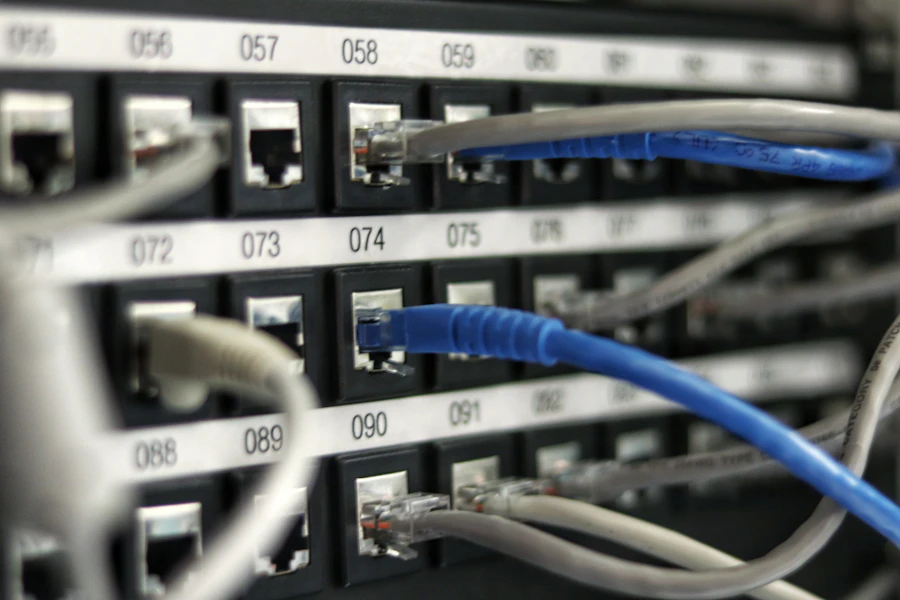
| Cabling | Labels, patch panel, port map, rack condition and heat | Unlabelled cables, hot and dusty rack |
| Servers and NAS | Age, disk health, warranty, UPS | Disk warnings ignored, no UPS |
| Backups | What is covered, copies off site, last restore test | No restore test on record |
| Microsoft 365 security | MFA, admin roles, legacy authentication, sharing | Admins without MFA, legacy sign-ins allowed |
| Endpoint protection and patching | Protection active and reporting, update status | Devices not reporting, updates months behind |
| Device inventory and end of life | Asset register, device age, operating system support | No register, unsupported Windows versions |
| Accounts of leavers | Active accounts against the staff list, shared passwords | Former staff or former provider still has access |
| Documentation | Network diagram, port map, account list, vendor contacts | Nothing written down |
| Single points of failure | One line, switch, server or admin account the office depends on | One failure stops everyone |
| Dependency on one person | Who holds passwords, domain and registrar logins | Only one person can get into key systems |
What should be checked on the network?
Check that the network equipment is supported, patched and configured deliberately, and that the office survives losing its main internet line. Most network risk hides in equipment nobody has logged in to for years.
- Internet: confirm which du or e& lines are in use, whether a second line or 5G failover exists, and pull the main line to prove failover actually works.
- Firewall: look up the model's end-of-support date on the vendor's site, compare firmware to the current release, and review rules and who can manage it remotely.
- Switches and Wi-Fi: check support status, that guest and device networks are separated from office systems, and where staff report dead spots.
- Cabling and rack: check labelling against a port map, loose or unlabelled patch leads, UPS battery age, and whether the rack room overheats in a Dubai summer.
How should servers, NAS and backups be tested?
Servers and NAS devices should be checked for disk health, warranty and power protection, and backups should be proven by restoring real data. A backup job showing green is not evidence that you can get files back.
RAID protects against a failed disk, not against deletion, ransomware or a flooded rack, so it is not a backup. A proper test restores a folder, a mailbox item and, where relevant, a whole server or virtual machine, and records how long it took. Check that at least one copy sits off site or cannot be altered from the office network. Our guide to backups that actually restore explains the design in more detail.
What should be checked in Microsoft 365 and user accounts?
Check that every account uses MFA, that very few people hold administrator roles, that legacy authentication is blocked, and that nobody who has left can still sign in. This is where many urgent findings come from. Grouping findings against the NIST Cybersecurity Framework makes it obvious which whole function is missing rather than which setting is wrong.
Compare the list of active, licensed accounts with the current staff list from HR or finance. Look for former employees still active, shared mailboxes with passwords everyone knows, and a former IT provider that still has delegated admin access to your tenant. Review who holds Global Administrator and whether those accounts are protected by stronger sign-in methods. Legacy authentication matters because older mail protocols can bypass MFA entirely. External sharing settings in SharePoint and OneDrive are worth a look too. If MFA is missing, our MFA rollout guide sets out a safe order.
How do you check devices, patching and end-of-life hardware?
Build or verify an asset register, then confirm every device has working endpoint protection, current updates and a supported operating system. Devices you cannot list are devices nobody is patching.
Pull the reporting from your endpoint protection and update tools rather than trusting the console's summary, and look for machines that have not checked in recently. Microsoft ended standard support for Windows 10 in October 2025, so any PC still running it needs a plan. The same applies to firewalls, switches, NAS units and servers past their vendor's end-of-support date: list them, note what depends on them and schedule replacement.
Why do documentation and single points of failure matter?
Without documentation, every fault takes longer to fix and every change of provider starts from zero. Single points of failure, including a single person, turn small problems into office-wide outages.
Check for a current network diagram, port map, asset register and account list, plus contacts and contract details for your ISP, domain registrar and software vendors. Then ask what happens if the one switch, the one internet line, the one server or the one person who knows the passwords is unavailable. A familiar example is a company domain registered under a former employee's personal email, which can hold up DNS and email changes when you need them most. Owning this information is also what makes changing IT support provider a controlled handover instead of a scramble.
How should findings be prioritised, and what does a good report look like?
Rank each finding by how likely it is to cause harm and how badly, then place it in one of three groups. The report should let a non-technical owner see what needs doing first and why.
- Urgent: active exposure to data loss or a breach, such as admins without MFA, leavers with access, no working backup or an internet-facing firewall with no security updates. Fix within days.
- Soon: weaknesses that raise risk or slow recovery, such as patching gaps, a single internet line, end-of-life devices still in service and missing documentation. Fix within weeks.
- Planned: improvements for the next budget cycle, such as cabling rework, a Wi-Fi redesign or a hardware refresh.
What a good report includes
A one-page summary in plain language, then each finding with what was found, the evidence, why it matters to the business, its priority and the recommended fix. It should also say what is working well, separate fact from opinion, and include the asset register and diagrams so you own the information whoever supports you next. Be wary of a report that recommends replacing everything.
How do you turn health check findings into a plan the business will fund?
A health check that ends as a long list of red items is a health check that gets filed. The findings are only useful once they have been turned into decisions, and that translation is a separate piece of work that the person reading the report, usually an owner or office manager rather than an engineer, should expect the provider to do with them.
Sort the findings on two axes: how much harm the gap could do, and how much it costs to close. The corner where harm is high and cost is low is where the first month goes, and it is usually fuller than people expect: enabling multi-factor authentication, removing a leaver's account, testing a restore, changing a shared password, enabling snapshots on the NAS. These need approval, not budget. The high-harm, high-cost items, such as replacing an end-of-life firewall or recabling a floor, need a date and a line in the budget, and the health check gives you the evidence to argue for them. The low-harm items go on a list to revisit, with an honest note that they were seen and deferred, which is a legitimate decision and much better than pretending they were not there.
Give every item that survives an owner and a date, including the ones the business will do itself, such as writing down who holds which admin account. Put the whole plan on one page, agree it with whoever signs the invoices, and set the date of the next check before this one is closed, because the value of a health check compounds only when the next one can measure what changed. A plan with dates is what turns a report into a safer office; a report without one is a document.
- Sort findings by harm and by cost; start with high harm, low cost.
- Quick wins need approval, not budget: do them in the first month.
- Expensive fixes get a date and a budget line, backed by the evidence in the report.
- Deferred items are written down as deferred, with a reason.
- Every surviving item has an owner and a date, and the next check is booked before this one closes.
How Listonics helps with an IT health check
Listonics starts engagements with a free office IT assessment, looking at your network, devices, Microsoft 365, backups and documentation before recommending anything. Where an existing setup was installed by someone else, we audit and document it first, fix the urgent gaps, and then move to managed IT support for a fixed monthly fee per user or per device, replacing equipment only where it is genuinely needed. You receive the documentation we produce, including the network diagram, port map, asset register and account list, so your IT no longer depends on one person's memory. Engineers work on site across the UAE, with remote support and monitoring available anywhere in the UAE.
Frequently asked questions
The terms are often used interchangeably. A health check is usually a practical review of risk and condition, while an audit can mean a formal assessment against a specific standard or policy. If you need evidence for a regulator, client questionnaire or certification, confirm with your compliance adviser what the review must cover before it starts.
Once a year is a sensible rhythm for most small offices, plus whenever something significant changes: moving office, rapid hiring, a security incident, or changing IT provider. Some checks, such as reviewing leavers' accounts and confirming backups restore, are worth doing far more often as part of routine support.
Very little. Most checks are read-only: reviewing settings, reports and equipment. Tests that could interrupt work, such as pulling the main internet line to prove failover or restoring a large backup, can be scheduled early in the morning or at the weekend, which in Dubai means a quiet Saturday.
Admin access or a supervised session for Microsoft 365, the firewall, NAS and backup system, a current staff list, and any existing documentation or contracts for your internet lines, domain and software. If you do not know where some of these are, that itself is a useful finding and should appear in the report.
They can, and a good provider should welcome it, but an independent review avoids anyone marking their own work. Whoever does it, ask for the evidence behind each finding and for the documentation to be handed to you, so the results stay useful if you later change provider.
Usually a day or two of review for an office of ten to fifty people, most of it reading settings, reports and equipment rather than interrupting anyone, followed by a written report and a meeting to turn the findings into a plan. Larger or multi-site offices take longer, mainly because there is more to document.
Unused accounts belonging to people who have left, multi-factor authentication switched on for some users but not all, backups that have never been restored, consumer-grade routers and switches, undocumented admin credentials held by one person or a former provider, and equipment past the end of vendor support. Most are cheap to fix once they are known.
Written by Srinivasan Ramachandran, Founder, Listonics · Published Sep 14, 2026 · Last reviewed October 22, 2026 · 2190 words