IT Setup for a 10-Person Office in Dubai: What You Actually Need
A cloud-first plan for a 10-person Dubai office: what to install, what to skip, and how serviced offices change it.
Part of our guide to New Office IT Setup.

A 10-person office in Dubai rarely needs a server. Plan a cloud-first setup: Microsoft 365 with MFA on every account, managed and encrypted laptops, a small business firewall, a wall cabinet or compact rack with one PoE switch and a UPS, business access points placed from a Wi-Fi survey, and remote support with on-site visits for physical problems.
Key takeaways
- Cloud-first is the default at this size: email, files and apps run in Microsoft 365, so the office needs a secure, reliable connection rather than a server.
- A lockable wall cabinet or compact rack is usually enough, provided it has airflow, a UPS and a dedicated power socket.
- Access point numbers come from a Wi-Fi survey of the floor, not from headcount; a small open-plan unit may need one or two.
- Every laptop should be enrolled, encrypted and managed centrally, so a lost device is an inconvenience rather than a data breach.
- In a serviced office, confirm who controls the network before buying anything, because shared building Wi-Fi changes what you need.
What IT infrastructure does a 10-person office in Dubai need?
A 10-person office needs a small, secure network and well-run cloud accounts, not a server room. The work is in getting a handful of things right: identity, devices, the firewall, Wi-Fi coverage and a support arrangement with someone accountable.
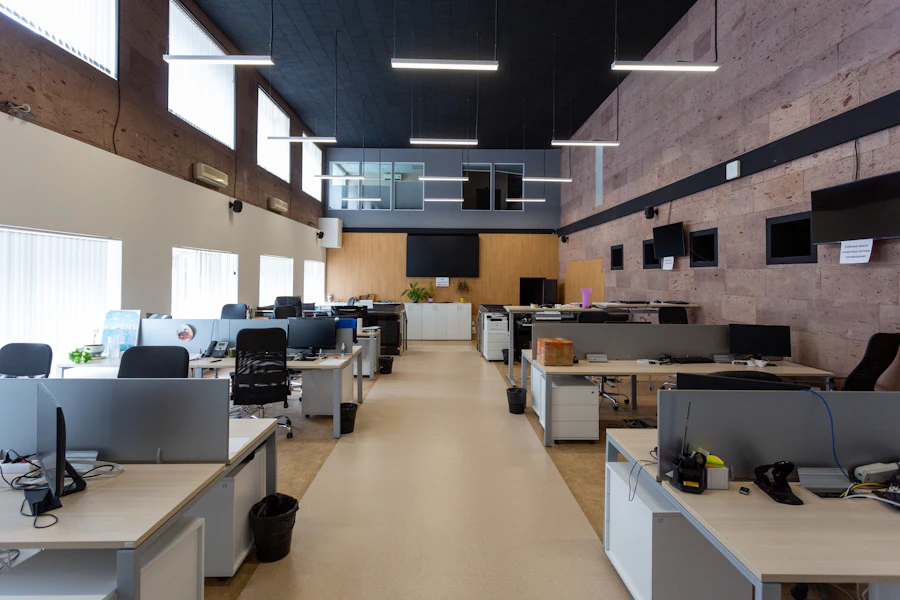
The table assumes a single-floor unit with open-plan desks and one meeting room. Every figure in the right-hand column is a planning assumption, not an industry standard, so change it to match your floor plan. If you expect to reach 20 people within the lease, read the IT setup guide for a 20-person office too, because some decisions are easier to make now.
It helps to separate the two numbers behind all of this: the one-off project that sets the office up, and the ongoing support that keeps it running. For an office this size the project usually sits well inside the AED 2,500 to AED 30,000 band, and our guide to what office IT actually costs in Dubai breaks down the total cost of ownership behind that figure.
| Area | What to plan | Planning assumption (change to suit) |
|---|---|---|
| Data points | Cabled points for desks, printer, access points and meeting room screen | Assumption: two points per desk, so 10 desks x 2 = 20 desk points, plus extras |
| Comms space | Lockable wall cabinet or compact rack with patch panel and UPS | Assumption: no on-site servers |
| Internet | One business line from du or e&, with a 4G or 5G backup | Assumption: work stops if the internet is down, but a short outage is survivable |
| Firewall | Small business firewall with separate staff and guest networks | Assumption: some staff connect remotely |
| Switching | One PoE switch sized for all cabled points plus spare ports | Assumption: all points terminate in one cabinet |
| Wi-Fi | Ceiling-mounted business access points | Assumption: quantity and positions set by a Wi-Fi survey |
| Accounts | Microsoft 365 with MFA on every account and shared mailboxes | Assumption: 10 licensed users |
| Devices | Managed, encrypted laptops with endpoint protection | Assumption: company-owned laptops, one per person |
| Backup | Backup of Microsoft 365 mail and files | Assumption: files live in SharePoint and OneDrive, no NAS |
| Support | Remote helpdesk with on-site visits when needed | Assumption: no in-house IT staff |
Does a 10-person office need a server?
Usually not. With Microsoft 365, email runs in Exchange Online, shared files sit in SharePoint and Teams, and personal files sync through OneDrive, so nothing on site has to stay running for people to work. What a ten-person office actually gets in the bundle is set out in Microsoft 365 Business Premium.
An on-site server brings patching, backup, power protection and a hot cupboard to manage, a poor trade for ten people. The exceptions are specific: software that only runs locally, very large design files, or a client requirement to keep data on premises.
The trade-off cloud-first makes is that the internet line becomes the office's lifeline, which is why a small firewall with a 4G or 5G backup port matters more here than a local server would. When email, files and apps all live in the cloud, a dropped line stops work, so the money goes on resilient connectivity rather than a machine in a cupboard. If a genuine need for local storage appears, a small NAS is usually the right answer, and it fits the same cabinet later.
Microsoft 365 set up properly from day one
Most small-office security problems start with accounts, so this is where care pays off. Our guide to MFA for small businesses explains which sign-in methods to use.
- Register the tenant and domain to the company, with admin accounts that are not anyone's daily login.
- Turn on multi-factor authentication for every account, including directors who travel.
- Use shared mailboxes for addresses such as info@ and accounts@ instead of sharing passwords.
- Back up mail and files, because recycle bins and retention settings are not a restorable copy.
What network equipment does a small Dubai office need?
A small business firewall, one PoE switch, a UPS and business access points, mounted in a lockable wall cabinet or compact rack. The router supplied with the du or e& line should hand the connection to the firewall rather than run the office network itself. Current-generation certification is described by the Wi-Fi Alliance.
Firewall and internet
A business firewall filters traffic, keeps guest devices away from staff laptops and gives remote staff a secure connection. Keep its firmware current. One business line is common at this size; a 4G or 5G router on a second firewall port provides a basic backup, which matters more when everything lives in the cloud.
How many access points?
There is no reliable rule per person. The number depends on the floor shape, glass partitions, concrete cores, where the meeting room sits and how crowded neighbouring networks are, which in a Dubai tower can be very crowded. A small open-plan unit may be covered by one or two ceiling-mounted access points, but a survey decides. Cable each one back to the PoE switch rather than relying on mesh units relaying over the air.
Where the cabinet goes
Pick a spot with airflow, away from the pantry and water. Building air conditioning may run on reduced schedules over the Saturday and Sunday weekend, so check how warm the space gets before the cabinet is fixed.
How should laptops be managed in a small office?
Every laptop should be enrolled in central management, encrypted, protected and updated automatically, so any device can be replaced or wiped without drama.
With Microsoft Intune, a laptop picks up the company's settings, apps and security policies when the user signs in, and can be wiped remotely if it is lost. Encryption, endpoint protection and automatic updates should be standard, and local admin rights the exception.
Keep an asset register from the first day. It feels like overhead for ten laptops, but it is the first thing you need when a device is stolen or someone leaves.
Tie the laptop to a joiner and leaver routine while the office is small, because it is hard to add back later. When someone starts, the laptop is enrolled, encrypted and handed over ready to use; when someone leaves, the same system disables the sign-in, reclaims the licence and can wipe the device remotely. A departing employee with live access to client files is a far bigger risk to a ten-person firm than a slow laptop.
Does a serviced office or business centre change the IT setup?
Yes. In a serviced office the operator usually provides the internet, cabling and Wi-Fi, so the job shifts from building a network to protecting devices and accounts on a network you do not control. Cloud-first suits this well: when the team later moves into its own unit, accounts and laptops move with it.
The risk in a serviced office is quiet rather than obvious: your laptops may share a flat network with every other tenant, so a neighbour's infected machine is on the same Wi-Fi as yours. That does not make a business centre a bad choice, it makes the device and account layer the thing you control tightly: laptop firewalls on, encryption on, and Microsoft 365 behind MFA. Get the operator to confirm whether you can run your own firewall.
- Ask whether your company gets its own private network or shares Wi-Fi with other tenants.
- Ask whether you may install your own firewall or access point, and who fixes connectivity out of hours.
- Treat a shared network as untrusted: laptop firewalls on, encryption on, and Microsoft 365 protected by MFA.
- Check how printing works, since shared printers often sit on the shared network.
Example: a 10-person office moving into a fitted unit
Example (hypothetical): a 10-person consultancy takes a fitted unit in a Dubai tower, with open-plan desks, a manager's office and one meeting room, and expects modest growth during the lease. The scope, not the price, looks like this:
- Survey the unit, confirm which providers serve the building and order a business line.
- Add data points where the fit-out falls short, using the two-per-desk assumption.
- Install a wall cabinet with firewall, PoE switch and UPS, and mount access points at surveyed positions.
- Set up Microsoft 365 with MFA, shared mailboxes and SharePoint libraries for client files.
- Enrol and encrypt ten laptops, connect the printer and test a Teams call from the meeting room.
- Hand over a network diagram, asset register, account list and port map.
If you are planning for growth, what should you do now?
Plan cabling and licences for the headcount you expect within the lease, and keep the design simple enough to extend.
- Pull spare data points while ceilings are open; adding them later means working around occupied desks and another building approval.
- Choose a switch with free ports and a firewall with headroom for more users and a second internet line.
- Pick a cabinet with spare space so a second switch or small NAS fits without replacing it.
- Build a repeatable laptop setup so new hires are ready on their first morning.
What changes as the team grows
Growth brings separate networks for staff, guests and devices, a second fixed internet line, meeting room video and a formal support plan. The 50-person office guide shows where a growing company ends up, and the Dubai office IT infrastructure benchmark compares requirements across office sizes.
Should a 10-person office hire an IT person?
Rarely. There is not enough IT work for a full-time role, and one hire becomes the person whose memory holds every password.
The practical model is outsourced support on a fixed monthly fee per user or per device: a remote helpdesk for daily issues, monitoring and updates in the background, and an engineer on site for hardware, cabling or a new starter's first day. What matters is that the arrangement is written down, so everyone knows who to call and what happens next.
When you compare support providers, keep the questions concrete. Ask the response time for a problem that stops the whole office, and whether that clock runs outside business hours. Ask who adds and removes staff accounts, who checks the backup ran, and who owns a fault when the internet provider insists its line is fine. Ask whether you keep your own administrator accounts if you change provider.
What happens after go-live?
The ongoing work never stops: updates, MFA resets, joiners and leavers, licence changes, backup checks and the occasional failed laptop. Agree before go-live who handles each task. Knowing what drives the cost of a new office IT setup helps you compare project and support quotes on the same scope.
What should a 10-person office do about phones, printing and meeting rooms?
At ten people the questions that get skipped are the small ones: whether the business needs a phone system at all, what to do about printing, and how the one meeting room should work. Each has a cheap answer and an expensive one, and the cheap answer is usually right at this size as long as it is chosen deliberately rather than by default.
Phones first. Most ten-person offices run on mobiles and Teams calls, and that is fine until a customer wants a landline number to call, or a receptionist needs to transfer a call, or a salesperson leaves and takes the number customers know. A cloud phone system solves all three for a modest monthly amount per user, gives the business a number it owns, and works on the same laptops and mobiles staff already have, with no desk phones required. It is worth it the moment the business's number matters more than any one person's.
Printing is one device, chosen well: a multifunction printer on the wired network, with scanning to email or to a SharePoint folder, and print release at the device if anything confidential is printed. Avoid the consumer inkjet, whose running costs and reliability will be regretted. The meeting room needs a screen, a decent camera and microphone, a cabled outlet for whatever drives them, and one obvious way to start a call. A wireless presentation puck or a single labelled cable is enough at this size; a full room system can wait until the room is used for client calls every day.
- A cloud phone system once the business's number matters more than any one person's.
- One multifunction printer on the wired network, with scan-to-folder and secure release.
- A screen, camera, microphone and cabled outlet in the meeting room.
- One obvious way to start a call; a full room system can come later.
- Choose the cheap answer deliberately, not by default.
How Listonics helps with IT setup for a 10-person office
Listonics sets up small offices across Dubai as a fixed-scope, itemised project that starts with a free site survey. For a 10-person office that usually means the cabinet, firewall, switching, surveyed Wi-Fi, Microsoft 365 with MFA, enrolled laptops and the printer, tested before staff arrive and handed over with a network diagram, asset register, account list and port map. After go-live, managed support is a fixed monthly fee per user or per device, with a remote helpdesk and engineers on site in Dubai when needed. See the new office IT setup service or book a free office IT assessment.
Before committing to any of it, decide whether you need your own office at all: serviced office versus your own office sets out what changes for IT.
Frequently asked questions
Usually not. Microsoft 365 handles email, shared files and Teams, so nothing on site has to stay running for people to work. A server or small NAS only makes sense for a specific reason, such as software that runs locally, very large files, or a client requirement to keep data on premises.
It depends on the space, not the headcount. Floor shape, glass partitions, concrete cores, the meeting room position and interference from neighbouring networks all change the answer. A small open-plan unit may need one or two ceiling-mounted access points, but a Wi-Fi survey of the actual floor should set the number and positions.
For many 10-person offices it is a reasonable backup. Connected to a second firewall port, it keeps email, Teams and cloud apps running when the main line drops. If the business cannot tolerate slower speeds during an outage, add a second fixed line, ideally from the other provider where the building allows it.
It can connect to the internet, but it should not run the office network. Consumer-style routers offer limited security controls, weak guest separation and little visibility. Put a business firewall behind the provider's equipment and use business access points, so security, guest Wi-Fi and remote access are managed properly.
A typical office of 10 to 40 people takes two to four weeks from survey to go-live, most of it running in parallel with the fit-out. Internet line installation depends on the building and provider, so order the line as soon as the lease is signed.
It is better to avoid it for anyone handling client or financial data. Company-owned laptops can be enrolled, encrypted and wiped remotely, and they stay with the business when someone leaves. If personal devices are allowed, limit them to protected Microsoft 365 apps with MFA rather than full access to company files.
Not always. Many run on mobiles and Teams calls. A cloud phone system earns its place when customers need a landline number, when calls must be transferred between staff, or when a number should belong to the business rather than to whoever answers it. It runs on existing laptops and mobiles, with no desk phones needed.
No. Whether you count staff or desks, the IT setup for 10 employees in a Dubai office is the same cloud-first design described here: Microsoft 365 with MFA, managed encrypted laptops, a small business firewall, one PoE switch with a UPS, and surveyed access points. Headcount changes the licence count and how many laptops to prepare, not the design.
Written by Srinivasan Ramachandran, Founder, Listonics · Published Sep 14, 2026 · Last reviewed October 24, 2026 · 2699 words