IT for Trading Businesses in Deira: How to Modernise in Stages Without Stopping Work
How an established Deira trading or family business can modernise its office IT in stages while daily work carries on.

An established Deira trading business should modernise its IT in stages, not in one disruptive project. Start with the biggest risks: a tested backup of the ageing server, MFA on every mailbox and a second internet line. Then give everyone their own account, fix cabling and Wi-Fi, move email and files to Microsoft 365 and decide the server's future.
Key takeaways
- Back up the on-site server and shared folder first, and prove the backup works by restoring real files and the accounting or inventory database.
- MFA on every mailbox and a second internet line from a different provider remove two large risks with almost no disruption.
- Decide the ageing server's future with the software vendor: a new server, a hosted server or the vendor's cloud version.
- Replace shared passwords with individual accounts so access can be granted, reviewed and removed person by person.
- Documentation and company-held admin access mean the business no longer depends on one relative or part-time helper.
What does IT usually look like in an established Deira trading business?
IT in an established Deira trading business has usually grown one problem at a time. Deira is one of Dubai's longest-established commercial districts, and many trading houses and family companies there have added computers, cables and software as the business grew.
Most of it still works on a normal day. The risk is that one failed disk, one line fault or one person leaving can stop invoicing and stock control together. Our IT support page for Deira describes how we approach these offices.
- An ageing server in a cupboard or under a desk running the accounting or inventory software.
- A shared folder everyone uses for quotations, price lists and shipping documents, with little control over who can change or delete what.
- Shared passwords for email, the accounting system and supplier portals, sometimes written down near the desks.
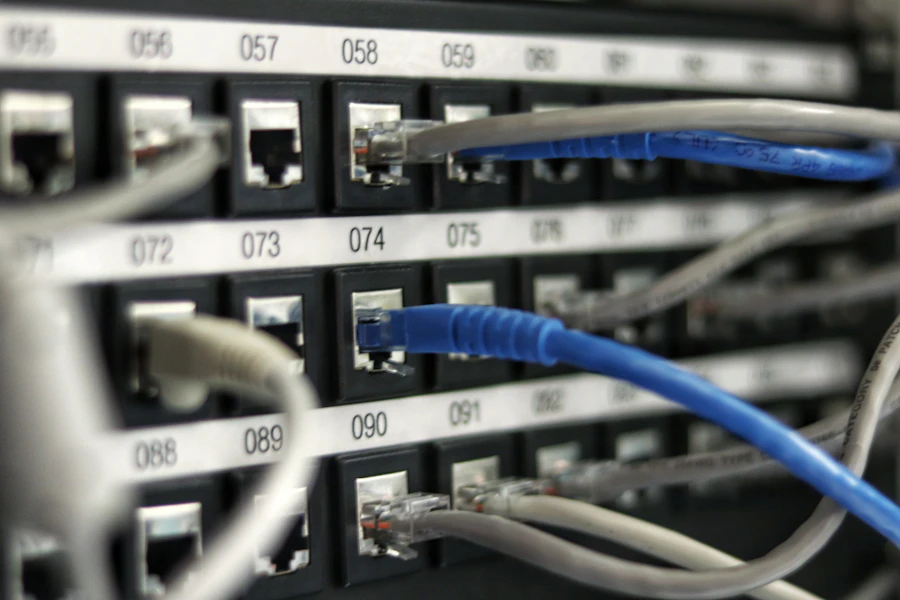
- Cabling added over the years, with no labels and no record of which socket goes where.
- One internet line, so a fault stops email, calls and bank portals together.
- A relative, a long-serving employee or a part-time helper who "does the IT" and holds most of the knowledge in their head.
What should a Deira business fix first when modernising office IT?
Fix the risks that could stop the business before improving anything else. That means a verified backup of the server, MFA on email and a second internet line. All three can be done while staff keep working.
Back up the server and verify the restore
Back up the server, the accounting or inventory database and the shared folder to a NAS in the office and to a copy held off site, so one incident cannot destroy every copy. A backup is only proven when you restore from it, so restore a sample of files and a copy of the database to a test machine and check that the software opens it. Our guide to backups that actually restore explains what to test, and our NAS storage and backup service covers the setup.
Turn on MFA and add a second internet line
Turn on MFA for every mailbox, including the general accounts address and any mailbox only the owner uses. Then add a second line from a different provider, for example one from du and one from e& where the building supports both, connected to a firewall that switches over automatically. A mobile 5G or 4G router can be the backup where a second fixed line is not available.
How do you know the ageing server is near the end of its life?
When the hardware, the operating system or the software on it is no longer supported, the server has become a risk rather than an asset. Speed is rarely the first sign; unsupported components usually are.
- The operating system no longer receives security updates from Microsoft.
- The manufacturer's warranty has expired and replacement parts are hard to find.
- Disk or power supply warnings appear in the management tools or as lights on the front panel.
- The software vendor says the current version will not run on a newer operating system.
- Month-end reports and stock look-ups are noticeably slower.
Keeping the business software supported
Speak to the software vendor or its local partner before changing anything. Ask which versions are supported, which operating systems they run on, whether your licence covers an upgrade and how data is moved.
New server, hosted server or cloud version?
A new on-site server keeps the software as it is, but still needs backup, updates and eventual replacement. A hosted server moves the same software to a data centre or cloud platform, with staff connecting securely using MFA, so the office cupboard is no longer a single point of failure. The vendor's cloud version, where one is offered, removes the server altogether, but features, reports and integrations can differ, so run it in parallel and compare before switching.
Can you install proper cabling and Wi-Fi in an older Deira building?
Usually, yes, but the work is planned around the building. Older buildings may have limited ceiling space, solid walls and crowded risers.
Start with a site survey that maps the existing cabling, tests which runs are still usable and checks Wi-Fi coverage at the desks, the stores and the manager's office. Where cables cannot go above ceilings or inside walls, surface containment such as trunking along walls gives a neat, maintainable route. Agree the scope and working hours with building management before any drilling. Our structured cabling service covers surveys, installation and labelling.
Power quality and UPS
Older electrical installations can suffer dips and brief cuts that corrupt databases and damage equipment. Put the server, firewall and switches on a UPS sized for the load, set the server to shut down cleanly when the battery runs low, and keep the equipment cupboard ventilated through the summer.
How do you move email and files to Microsoft 365 without stopping work?
Move in phases, one workload and one team at a time, with each cutover done while the office is quiet. Our Microsoft 365 migration plan sets out the detailed steps. The table below shows a typical order for a Deira trading office. Microsoft provides tooling for moving file shares in bulk; see Migration Manager.
| Phase | What changes | Disruption to daily work |
|---|---|---|
| 1. Reduce the biggest risks | Tested backup of the server and shared folder, MFA on every mailbox, second internet line with failover | Very little; each person sets up MFA once |
| 2. Individual accounts | Own login for each person, shared mailboxes, admin access held by the company | Short sign-in changes, done desk by desk |
| 3. Network and cabling | Survey, new firewall, switches and access points, cabling where needed, UPS | Cabling agreed with building management; switch-over out of hours |
| 4. Email to Microsoft 365 | Mailboxes copied in the background, then a planned cutover | Brief; staff reconnect Outlook and phones after the cutover |
| 5. Shared folder to Microsoft 365 | Files moved team by team to SharePoint and OneDrive with proper permissions | Each team's move happens over an evening or a closed day |
| 6. Server decision | New server, hosted server or the vendor's cloud version, run in parallel first | The largest change, scheduled for a quiet trading period |
Ending shared passwords
Give every person their own Microsoft 365 account and their own login to the accounting software, with permissions matched to their job. Use shared mailboxes for addresses such as sales or accounts, so several people can work from them without sharing a password. When someone leaves, you block one account instead of changing a password everyone relies on.
Payment-diversion fraud, briefly
Trading businesses pay large supplier invoices, which makes them targets for emails asking for payment to a new bank account. MFA helps, but the control that matters most is a rule: confirm any change of bank details by calling the supplier on a number already on file, and have a second person approve it. Our JLT and DMCC office IT guide covers the email-side controls in more detail.
How do you stop the business depending on one person's memory?
Write it down and store it where the company, not one person, controls it. The relative or part-time helper who set things up often did good work, but if they are away, nobody else knows how it fits together.
It needs to be accurate, updated after every change and readable by someone who has never seen the office.
- A network diagram showing the internet lines, firewall, switches, access points and server.
- An asset register of computers, printers and network equipment, with warranty dates.
- An account list showing who has access to which systems, without the passwords themselves.
- A port map linking each wall socket to its switch port.
- Contact and licence details for the internet providers, software vendors and domain registrar.
What is different about modernising IT in a family business?
Ownership and trust matter as much as technology. Owners usually want control and visibility, the next generation often drives the change, and long-serving staff need to be brought along rather than bypassed.
Keep the administrator accounts for Microsoft 365, the domain and the firewall with the company, held by the owners or a named director, with your IT provider given its own separate access. Owners can then see who has access to what and approve changes without handling day-to-day IT.
How do you move a paper-heavy trading business to secure digital records?
Trading businesses in Deira run on documents: proforma invoices, packing lists, bills of lading, trade licence copies, supplier contracts, and years of correspondence, much of it printed and filed in cupboards that only one person can navigate. Moving that to Microsoft 365 is less about scanning everything than about deciding where new documents go from now on, and making that easier than the cupboard.
Set up SharePoint libraries that mirror how the business already thinks, by supplier, by shipment, by year, rather than by IT's idea of tidy, and give each library a simple naming rule staff can follow from their phones. Route trade enquiries through a shared mailbox that several people can see, so a quotation is not stuck in one person's inbox while they are travelling. A desktop scanner at reception that files straight into the right library, with the document searchable by its text, removes the last reason to print. The old archive can then be scanned in stages, starting with anything still needed for tax, customs or a current dispute, rather than all at once.
Two things need a decision from the owners rather than from IT. The first is retention: how long each type of record must be kept, which your accountant or adviser should confirm, and which the library settings can then enforce automatically. The second is access: who may see pricing, bank details and margins. Digital records make it easy to share everything with everyone, which is convenient right up to the day someone leaves for a competitor. Retention periods for tax and accounting records are set by the UAE Federal Tax Authority, and should be confirmed with your accountant rather than assumed.
- Libraries organised the way the business already thinks, with a naming rule staff will follow.
- A shared mailbox for trade enquiries so quotations do not stall in one inbox.
- A scanner that files searchable documents straight into the right place.
- Retention periods confirmed with the accountant and enforced by the system.
- Access to pricing, margins and bank details limited to the people who need it.
How Listonics helps trading businesses in Deira modernise their IT
Listonics engineers work on site across the UAE, including Deira, with remote support UAE-wide. We start with a free office IT assessment of your server, backup, network and accounts, then propose a fixed-scope, itemised plan in stages, beginning with backup, MFA and internet resilience. We plan cabling around older buildings, move email and files to Microsoft 365 in phases and work with your software vendor on the server decision. Managed IT support is a fixed monthly fee per user or per device, with 24/7 monitoring under a managed plan and a network diagram, asset register, account list and port map handed over. Contact Listonics to arrange the assessment.
Frequently asked questions
Yes. First back it up, test a restore and protect it, without changing how staff use it. Any move to new hardware, a hosted server or the vendor's cloud version is planned later with the software vendor, run in parallel where possible and cut over during a quiet period, so daily invoicing and stock work carry on.
Restore a sample of files and a copy of the accounting or inventory database to a separate machine, then open the software and check that recent transactions are there. Repeat the test regularly and after any change to the server. A backup that has never been restored is an assumption, not a safeguard.
If email, bank portals, cloud systems or phone calls stop when the line fails, it usually is. Choose a second line from a different provider where the building supports it, or a mobile 5G or 4G router where it does not, and connect both to a firewall that switches over automatically. Test failover by unplugging the main line.
Only if the vendor offers a cloud version that covers the features, reports and integrations you rely on. Compare it with a hosted server, which runs your current software in a data centre, and with a new on-site server. Run the new setup alongside the old one before switching.
Give each person their own accounts for email, the accounting software and other systems, and use shared mailboxes for common addresses such as sales or accounts. Turn on MFA for every account. Once access is individual, it can be reviewed and removed when someone changes role or leaves.
The company should, through the owners or a named director, with at least two administrator accounts for Microsoft 365 and one emergency account stored securely. Your IT provider should have its own separate access that can be removed if needed. Avoid a setup where only one relative or an outside helper knows the master passwords.
Yes, and most trading businesses do for a while. Decide that new documents are digital from a fixed date, scan the old archive in stages starting with what tax, customs or a live dispute might need, and keep any originals the law or a counterparty requires. The aim is to stop the cupboard growing, not to empty it overnight.
Written by Srinivasan Ramachandran, Founder, Listonics · Published Sep 13, 2026 · Last reviewed October 22, 2026 · 2262 words