IT for Tech Companies in Dubai Silicon Oasis: Offices, Labs and Test Benches
How engineering and electronics teams in Dubai Silicon Oasis keep labs, test benches and office systems apart as they grow.

IT for tech companies in Dubai Silicon Oasis starts with keeping the lab away from the office. Put office, lab and test, guest and building devices on separate VLANs with firewall rules between them, cable benches properly, keep design files and code versioned with tested backups, add a UPS, and plan the network before moving into your own unit.
Key takeaways
- Development boards, prototypes and test equipment should never share a network with finance, HR or company file storage.
- Use separate VLANs for office, lab and test, guests and building devices, and write firewall rules for the few connections engineers genuinely need.
- Devices that cannot run security software need isolation, restricted internet access, changed default passwords and an inventory entry.
- Keep CAD files and code in versioned storage, back them up off the device, and prove a restore works before you need one.
- Plan cabling, the internet line and power before moving from an incubator desk into your own unit, not after.
Why does a lab change IT for tech companies in Dubai Silicon Oasis?
A lab adds devices that you did not buy for security and cannot fully control. Development boards, prototypes, test instruments and connected products run experimental or outdated software, so they must be kept apart from laptops holding company data.
Dubai Silicon Oasis is a free-zone technology park, part of the Dubai Integrated Economic Zones Authority (DIEZ), with offices, light-industrial units, homes, schools and a university campus. Many tenants are start-ups, engineering and electronics firms that pair an office with a workshop or test bench. A normal office network assumes every device is a managed laptop or printer. In a lab, a prototype with a default password or an instrument running an old embedded operating system can be plugged into the nearest wall port. Free zone and campus requirements are published by Dubai Silicon Oasis Authority.
Identity, developer admin rights and customer security reviews are covered in our guide for Dubai Internet City tech companies. This guide focuses on the lab, the bench and the move into your own space.
How should an office and lab network be segmented?
Split the network into VLANs by trust level, then let the firewall decide what may cross between them. Everything is blocked by default and only named connections are allowed.
A VLAN is a separate logical network running over the same switches and access points, with its own address range and, where needed, its own Wi-Fi name. Traffic between VLANs passes through the firewall, where rules are written and logged. A starting layout:
| Network segment | What connects to it | What it may reach |
|---|---|---|
| Office | Managed laptops, desktops, printers, meeting room screens | Internet, company NAS, printers, agreed lab services |
| Lab and test | Development boards, prototypes, test instruments, lab workstations | Only named services such as a build server or NAS share; restricted internet |
| Guests | Visitor phones and laptops | Internet only, with a bandwidth limit |
| Building and connected devices | CCTV, access control, smart displays, UPS management | Their own recorder or controller and approved vendor services |
| Management | Switch, firewall, access point and NAS admin interfaces | Reachable only from IT admin devices |
Letting engineers reach what they need
Segmentation fails when it blocks real work, because people then plug lab gear into the office network. Agree specific flows up front: a build server that pushes firmware to lab devices, an engineer's laptop that needs to reach a test instrument, a data logger that uploads results to the NAS. Allow those by address and port, not whole networks. Discovery that relies on broadcast or multicast traffic, such as mDNS, does not cross VLANs by default, so plan for fixed addresses or a controlled exception. For wider access, a dedicated lab workstation or a VPN profile into the lab segment is cleaner than opening the firewall.
What should you do with devices that cannot run security software?
Assume they are vulnerable and contain them. Most connected devices, instruments and prototypes cannot run endpoint protection or be enrolled in device management, so the network has to provide the protection instead.
- Isolate them on the lab or device VLAN, never the office network, and block them from reaching each other where they do not need to.
- Restrict internet access to the specific update or cloud services each device needs, rather than open outbound access.
- Change default passwords before a device goes on the network, and store the new ones in the company password manager.
- Keep an inventory with the device name, owner, MAC address, firmware version, location and purpose, and remove entries when kit is scrapped.
- Disable unused services, such as remote admin pages or file sharing, and apply firmware fixes when vendors release them.
How much cabling does a lab or test bench need?
More than an office desk. Benches collect instruments, lab workstations, switches for device testing and cameras, so plan several data points per bench and spare capacity for kit you have not bought yet.
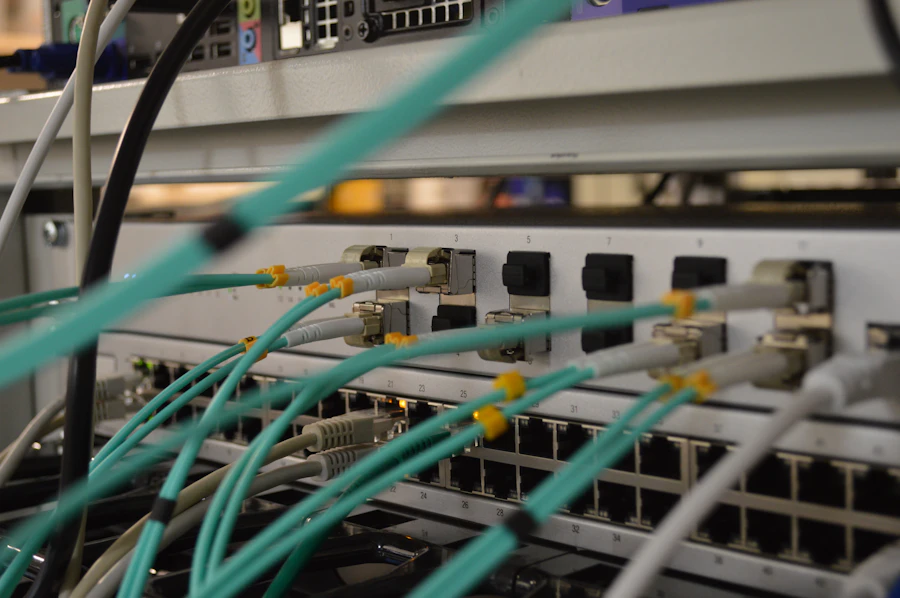
Small unmanaged switches under benches make segmentation unreliable. Structured cabling back to a patch panel lets each port be assigned to the right VLAN on a managed switch.
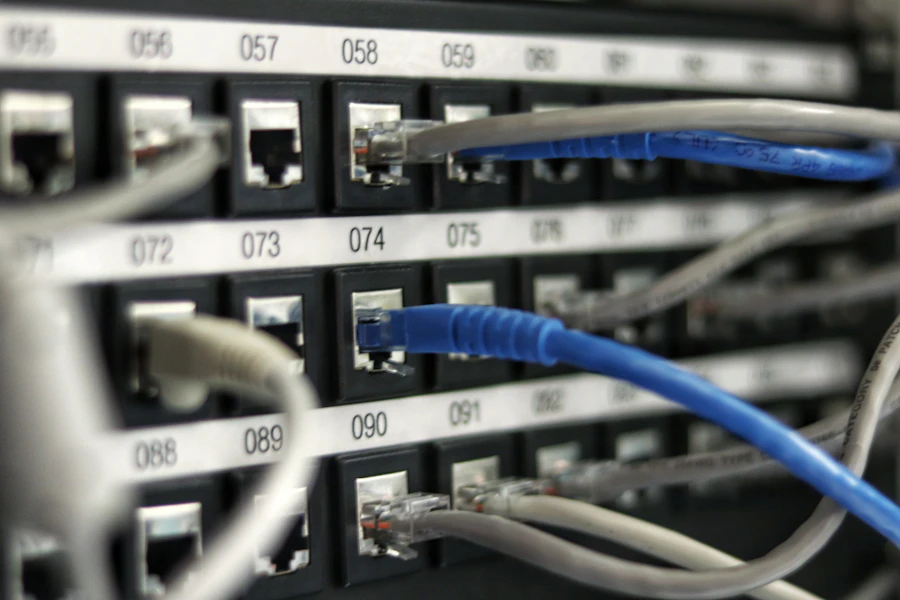
- Label both ends of every cable and record it on a port map, so an engineer can trace a bench port in minutes.
- Terminate runs on patch panels in a lockable rack, and patch only the ports in use.
- Use CAT6A where you may want 10 Gb to the bench later, since 10GBASE-T over CAT6A is supported to 100 metres; our CAT6 vs CAT6A comparison explains the trade-off.
- In light-industrial units, run cables in trays or conduit, clear of power cables and machinery, and agree routes with the landlord before work starts.
Where should design files, CAD data and code live?
Code belongs in a hosted version control system, and design files belong in shared storage with version history and a separate backup. Nothing important should exist only on one engineer's laptop or a bench PC.
NAS or cloud?
Cloud storage such as SharePoint suits documents and remote teams. Large CAD assemblies, simulation output and test data are often faster on a NAS in the office, and some design tools behave poorly when files are opened from a cloud sync folder, creating conflicts when two people edit the same model. Many engineering teams use both: a NAS for active project data, cloud for documents and collaboration.
Versioning, backup and tested restores
Git keeps the history of code, though large binary design files need extensions such as Git LFS or a separate store. Many Synology and QNAP NAS models support snapshots, which recover overwritten or encrypted files quickly. Snapshots live on the same device, so also keep a backup copy off the NAS, ideally one that cannot be altered from the office network. Then restore a real project folder on a schedule and confirm it opens.
When is 10 Gb networking worth it for large files?
When people regularly wait for large files to open, save or copy between workstations and the NAS. For email, browsing and cloud apps, a well-built 1 Gb office network is usually enough. Synology sets out what each RAID level protects against in its RAID guide.
Hardware engineering, simulation and test work can move very large files many times a day. A NAS with 10 Gb ports, a switch with matching uplinks and 10 Gb adapters on the heaviest workstations removes the bottleneck without upgrading every desk. Inside the rack, short 10 Gb links can use SFP+ modules or direct-attach cables. A NAS with slow drives will not fill a 10 Gb link, so size storage and network together.
What should you set up before moving from an incubator desk to your own unit?
At a shared desk you control accounts, laptops and data, not the network. Get those right first, then plan the unit's network, cabling and power before the move date, because they are hard to add once benches are installed.
While still on the entrepreneur campus or a shared desk, set up a company-owned Microsoft 365 tenant with MFA, managed laptops and cloud backup, and keep lab hardware off the shared Wi-Fi. Before moving into your own office or light-industrial unit:
- Order the internet line from du or e& early, and consider a second line if customers or remote testing depend on it.
- Survey the unit, agree where the rack, benches and access points go, and get landlord approval for cabling routes.
- Plan VLANs, firewall rules and the device inventory before the first prototype is plugged in.
- Check power: enough circuits for benches, and a ventilated spot for network equipment.
- Work through our office IT relocation checklist for the move itself.
How should a UPS protect lab and network equipment?
Put the firewall, switches, NAS and any always-on lab systems on a UPS sized for their load, so a short power cut does not drop the network or corrupt data mid-save.
Connect the NAS to the UPS by USB or a network management card so it shuts down cleanly if the outage lasts. Keep heavy loads such as laser printers, soldering stations and heaters off the IT UPS. Some labs choose an online, double-conversion UPS for sensitive instruments, because it supplies conditioned power continuously; follow each manufacturer's guidance. Replace batteries as they age and test the UPS during maintenance visits.
How should a tech company handle demo units, prototypes and visitor devices?
Hardware companies in Silicon Oasis spend a lot of time showing things to people: investors, distributors, certification bodies, potential hires. Demo units get plugged into the office network on the day, visitors ask for the Wi-Fi password, and a prototype that contains months of unreleased work goes to an exhibition and comes back with whatever it picked up there. None of that has to be risky, but it needs a plan.
Give demonstrations their own network. A demo segment with internet access and nothing else means a unit can be shown working without being able to see the engineering file share, and a visitor's laptop can join a guest portal that expires at the end of the day without anyone typing the staff password into a stranger's device. Prototypes should be inventoried like any other asset, with a serial, an owner and a location, because a missing prototype is both a financial loss and a leak of unreleased design.
Treat anything that leaves the building for an event as untrusted when it returns. Wipe and re-image demo laptops before they rejoin the office network, check that demo units carry only the firmware and data the demonstration needs, and keep sensitive design files off them entirely, showing outputs rather than sources. Where a visitor needs to test a device against your systems, do it on the demo segment with a temporary account that is removed afterwards, and log who had access to what. Investors are reassured by this discipline rather than put off by it.
- A demo network segment with internet only, separate from engineering and office systems.
- A guest portal that issues expiring access instead of sharing the staff password.
- Prototypes in the asset register with serial, owner and location.
- Demo laptops wiped and re-imaged after every external event.
- Sensitive design files kept off demo units; show outputs, not sources.
How Listonics helps tech companies in Dubai Silicon Oasis
Listonics engineers work on site across the UAE, including Dubai Silicon Oasis, with remote support UAE-wide for teams of roughly 5 to 200 staff. After a free site survey we provide a fixed-scope, itemised proposal. Our network and Wi-Fi service designs office, lab, guest and device VLANs with firewall rules, our structured cabling service cables benches to labelled patch panels, and our NAS storage and backup service sets up snapshots, off-device backup and restore tests. You receive a network diagram, port map and asset register. A small engineering team rarely needs in-house IT staff: a monthly plan adds 24/7 monitoring, a helpdesk and on-site visits for network changes. Read more about IT support in Dubai Silicon Oasis or contact our team.
Frequently asked questions
No. Development boards, prototypes and test instruments often run unpatched or experimental software and cannot run security tools. Put them on their own VLAN with firewall rules, so a misbehaving or compromised device cannot reach office laptops, finance files or the company NAS, while engineers still reach the specific lab services they need.
It means dividing one physical network into separate logical networks, usually VLANs, for groups such as office staff, lab equipment, guests and building devices. Traffic between them passes through a firewall, which blocks everything except the connections you have deliberately allowed, so a problem in one segment stays there.
Write firewall rules for the specific connections they need, such as a laptop reaching one instrument or a build server pushing firmware to test boards. For broader work, use a dedicated lab workstation or a VPN profile into the lab segment rather than connecting the whole office network to the lab.
Yes. You may not control the shared network, but you control accounts, laptops and data. Set up a company-owned Microsoft 365 tenant with MFA, manage and encrypt laptops, back up company data and keep prototypes off the shared Wi-Fi. When you move into your own unit, add a segmented network.
Only where large files move often, such as CAD assemblies, simulation output or test data between workstations and a NAS. Upgrade those links, the NAS and the switch uplinks rather than every desk. General office work and cloud apps usually run well on a properly built 1 Gb network.
No. Snapshots are useful for quickly recovering deleted, overwritten or encrypted files, but they are stored on the same NAS. If the NAS fails, is stolen or is attacked through an admin account, the snapshots can be lost too. Keep a separate backup copy off the device and test restores regularly.
Yes, onto a demo segment that has internet access and nothing else. That lets a unit be shown working without reaching engineering files, and a visitor's laptop can use an expiring guest login. Wipe demo laptops when they return from external events before they rejoin the office network.
Written by Srinivasan Ramachandran, Founder, Listonics · Published Sep 14, 2026 · Last reviewed October 24, 2026 · 2226 words